

Introduction
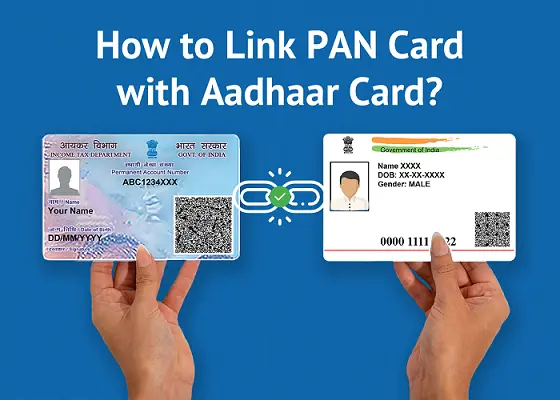
Linking your PAN (Permanent Account Number) card with your Aadhaar card is now mandatory for most Indian taxpayers. The Income Tax Department of India has made this linkage compulsory to prevent tax evasion and to streamline the tax filing process. If you haven’t linked your PAN with Aadhaar yet, here is everything you need to know about how to do it quickly and easily.
Why is PAN–Aadhaar Linking Important?
The Government of India introduced the PAN–Aadhaar linking requirement to create a unified digital identity for taxpayers. Here are the key reasons why this linkage is essential:
Prevents duplicate PANs – It ensures that one person holds only one PAN card, reducing fraud.
Simplifies ITR filing – A linked PAN and Aadhaar makes income tax return (ITR) filing faster and more accurate.
Avoids penalties – An unlinked PAN becomes inoperative, which can attract a higher TDS (Tax Deducted at Source) rate and other financial penalties.
Mandatory for financial transactions – Banks and financial institutions require a linked and active PAN for high-value transactions.
Who Needs to Link PAN with Aadhaar?
All Indian resident individuals who hold both a PAN card and an Aadhaar card are required to link the two. Some categories are exempt, including:
Non-Resident Indians (NRIs)
Individuals who are not citizens of India
Individuals aged 80 years or above (super senior citizens)
Residents of the states of Assam, Jammu & Kashmir, and Meghalaya (as per earlier notifications)
If you are unsure whether you fall under an exempt category, it is best to complete the linking to avoid any disruption to your financial activities.
Documents Required
You don’t need any physical documents to link your PAN with Aadhaar online. You simply need:
Your PAN number (10-character alphanumeric code)
Your Aadhaar number (12-digit unique identification number)
Your registered mobile number linked to Aadhaar (for OTP verification)
A small fee payment (as applicable under current government rules)
Step-by-Step Process to Link PAN with Aadhaar Online
Step 1: Visit the official Income Tax e-filing portal at https://www.incometax.gov.in.”>https://www.incometax.gov.in.
Step 2: Click on the “Link Aadhaar” option available on the homepage under the Quick Links section. You do not need to log in to access this feature.
Step 3: Enter your PAN number and Aadhaar number in the respective fields.
Step 4: Enter your name as per Aadhaar and your registered mobile number.
Step 5: If only your year of birth is mentioned on your Aadhaar, check the relevant box.
Step 6: Click “Continue” and pay the applicable late linking fee via the NSDL/Protean payment gateway if prompted.
Step 7: After payment, re-visit the Link Aadhaar page, re-enter your PAN and Aadhaar details, and submit.
Step 8: An OTP will be sent to your Aadhaar-registered mobile number. Enter the OTP to validate.
Step 9: Your request will be submitted. You will receive a confirmation message on-screen and via SMS.
How to Check Your PAN–Aadhaar Linking Status
Once you have submitted the request, you can verify the status:
Go to https://www.incometax.gov.in
Click on “Link Aadhaar Status” from the Quick Links section
Enter your PAN and Aadhaar number
Click “View Link Aadhaar Status”
The status will show either “Your PAN is linked to Aadhaar” or “PAN not linked to Aadhaar” along with the reason, if any.
What Happens If Your PAN and Aadhaar Are Not Linked?
If you do not link your PAN with Aadhaar by the deadline, your PAN will become inoperative. This means:
You will not be able to file your income tax return
TDS and TCS will be deducted at a higher rate
Refunds will not be processed
You may face difficulties in completing KYC (Know Your Customer) processes at banks and financial institutions
You can reactivate an inoperative PAN by completing the Aadhaar linking after paying the applicable penalty fee.
Common Issues and How to Resolve Them
Name mismatch: If the name on your PAN card does not exactly match the name on your Aadhaar card, the linking request will fail. You will need to correct the name either on your PAN card or your Aadhaar card before attempting again.
OTP not received: Ensure your mobile number is currently linked to your Aadhaar. If it is not, visit your nearest Aadhaar Seva Kendra to update your mobile number.
Payment-related errors: Use a different browser or payment method if you encounter issues during the fee payment step.
Conclusion
Linking your PAN card with your Aadhaar card is a simple but critical process every Indian taxpayer must complete. It ensures your PAN remains active, your ITR filings go smoothly, and you avoid unnecessary financial penalties. If you need assistance with your PAN card application, correction, or any related services, the team at Pancard Apply Online is here to help you every step of the way.
How to Link Your PAN Card with Aadhaar Online: A Complete Guide
Leave a Comment
You must be logged in to post a comment. Register here if you don't have an account.